

- Starting at $62.50/month
- Buy now ->
- Book a live demo ->
Shade Site Designer, previously known as MPanel InSite, is a stand-alone application built to help sales teams quickly design, visualize, and present shade projects. It is the most modern way to operate a shade business: show the client how their project will look in 3D real time and once approved, then generate accurate site layout plans for the installation team including footing depths that eliminate costly errors.
“Using Shade Site Designer I can have people that don’t know AutoCAD delivering results, that’s how versatile it is.”
Ernesto De Oliveira
VP of Engineering & COO
Apollo SunGuard
What Shade Site Designer is & how it works
Shade Site Designer provides an intuitive step-by-step workflow, guiding sales staff through each aspect of designing a custom shade solution — no CAD skills required.
- Import a site image from Google Earth, drone photography, or a PDF.
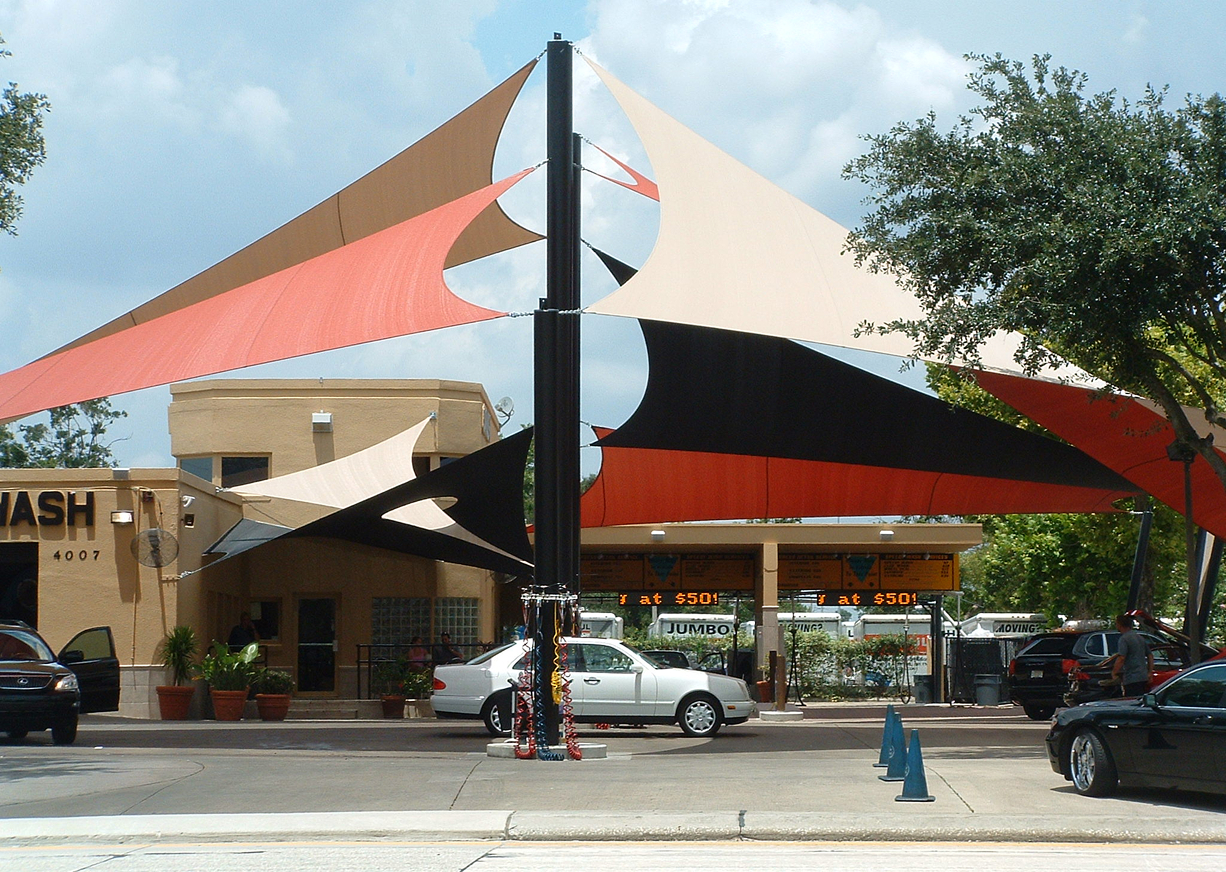
- Place poles, walls, sails, umbrellas, barrel vaults, or framed structures.
- Adjust heights, angles, and positions to achieve the exact shadow coverage for any date and time.
- Instantly generate 3D visualisations for your client, along with reports for installation and fabrication.
Developed exclusively for sales teams, it turns quotes into powerful sales tools by combining professional visuals with technical accuracy.
Key features & benefits of Shade Site Designer

Sales-first design
Create proposals in minutes during client meetings.

No CAD required
Stand-alone application with minimal learning curve.

Versatile structure library
Add sails, umbrellas, barrel vaults, car park covers, and more.

Accurate shade modeling:
Adjust structures to deliver shadows for specific times and dates.

Professional outputs
Generate client-ready 3D visuals, pole setouts, fabrication reports, and installer instructions.

Modernise your workflow:
Faster quoting, reduced errors, and direct link to production.

Tensile structure layout software
Use it as a precise site layout tool to minimise installation errors and improve project outcomes.
Who is Our Shade Site Designer for?
This software is designed for:
- Sales teams preparing shade sail quotes on-site with clients
- Shade sail companies wanting a professional edge without CAD costs
- Shade companies that already use Professional tools but need efficient sales workflows
- Contractors and installers looking to reduce errors in layout and site planning
How hard is this software to learn and become proficient with?
Learn more about Support & Training ->Comparing Shade Site Designer to other solutions
The competition to Shade Site Designer used to be PhotoShop, PaintBrush or SketchUp – before clients found us, their teams were using rudimentary image software to attempt to show clients what something ‘could look like’ – and we knew that wasn’t good enough. Guesswork is at best an artist’s impression, not science or engineering, so we fixed it by creating a purpose-built sales tool.
Shade Site Designer:
- Designed specifically as a shade structure design tool for sales teams.
- Combines fast 3D visuals with accurate technical outputs, including accurate shadows.
- Enables client-approved design proposals (of their exact completed structure) to be immediately sent to our patterning software for production.
- Provides a smooth upgrade path into the full MPanel ecosystem — from sales teams (Shade Site Designer) to fabrication (Shade Sail Patterner) to advanced fabrication and engineering (Fabric Structure Professional & Analysis).
Is Shade Site Designer the tool you really need?
Click here to find out ->Buy now or book a live Shade Site Designer demo today
Book a live demo or get started immediately by purchasing. We have monthly billing and no ongoing commitment; you can scale your usage as your projects demand!
Shade Site Designer FAQs
No. Shade Site Designer is a stand-alone application and requires no CAD platform or drafting skills
No. Shade Site Designer is a stand-alone application and requires no CAD platform or drafting skills
No. Shade Site Designer is a stand-alone application and requires no CAD platform or drafting skills